Communities
Decide together
[object Object]
Draft. This page is a preview of the new guide. Its illustrations are drafts still in review.
A community decides by proposal: someone puts a question to the members, members vote, and once enough of them have voted the result is recorded for everyone.
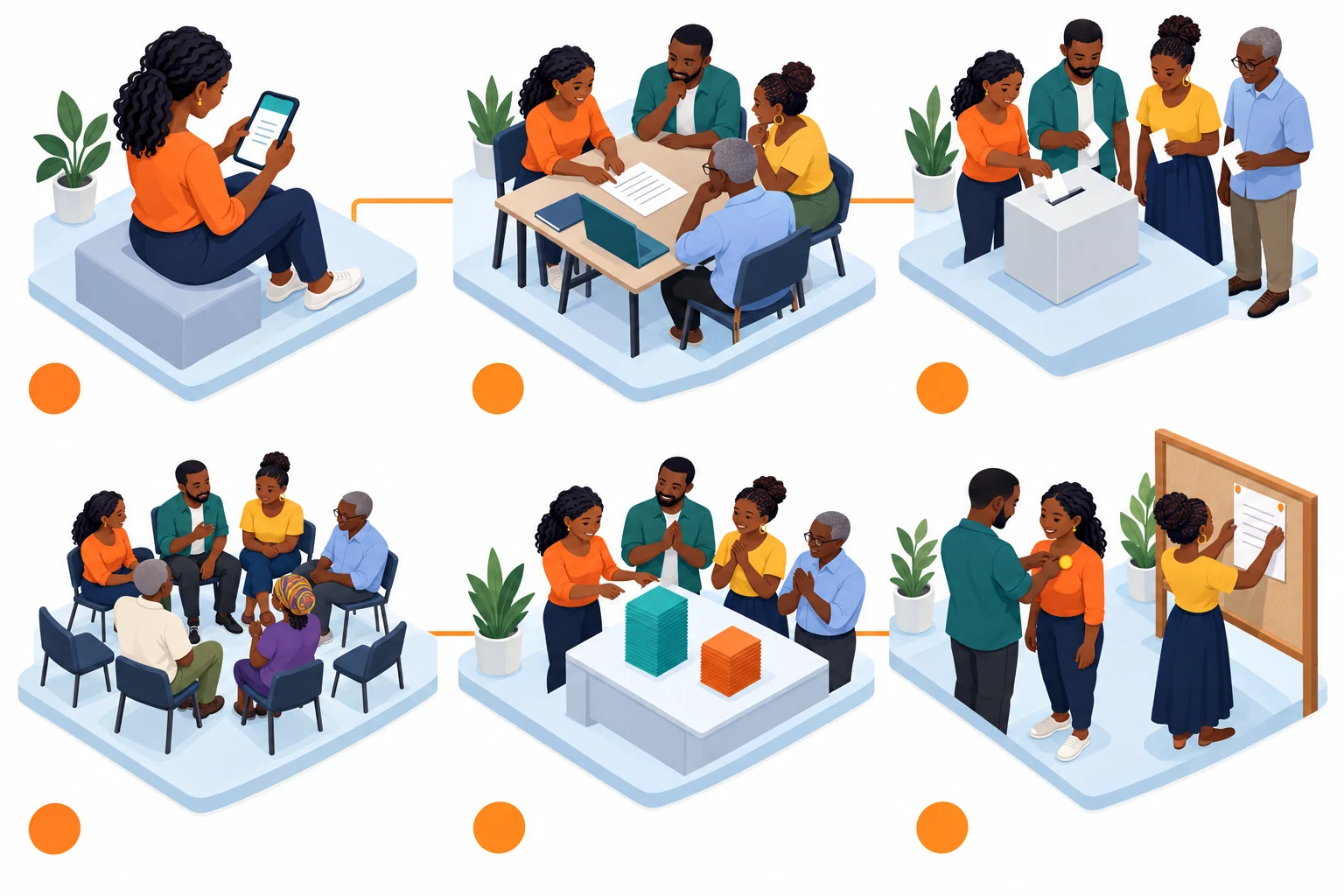
- Propose
- Discuss
- Vote
- Enough members voted
- The result
- Act on it
A proposal passes once enough members have voted, and the most-voted option wins.
- Propose. Under Proposals, write a title, a description and the options to choose from, and set a deadline (a week by default).
- Discuss. Members talk it through before voting, in person or in the community's messages.
- Vote. Each member chooses one option. Only members' votes count, and a member's latest vote is the one that counts.
- Enough members voted. A proposal needs a share of the members to vote before it's decided: by default just over half of them (51%). A community can set its own share.
- The result. As soon as enough members have voted, the most-voted option wins and the result is recorded. Every member's app applies the same rule, so they all reach the same result.
- Act on it. The community then does what was decided: for example, gives someone a role, or ratifies a protocol (see Protocols).
Roles
Under Roles, a member can be given a role, such as moderator or treasurer. A role can be given for a set time, so it rotates rather than staying with one person. Some apps count only roles a custodian gave: Inzira, for example, trusts its reviewer roles only when a custodian assigned them.