Communities

Each community decides for itself. No one oversees the others.
A community in Paramira is a group of people who agree on how they work together: who belongs, what they decide, and how. Abantu is the app where that happens. There is no central owner: the community's history is a record its members share, signed by each of them, and its own key lets it sign for itself.
Communities come in four kinds. A family community is made from a family tree in iwacu. A clan brings families together. A general community is anything else: neighbours, a cooperative, an association. A contribution community is open to people who want to contribute to a public record without belonging to a community of their own.

- Family
- Clan
- General
- Contribution
The four kinds of community run on the same tools, with rules that suit each.
Start a community
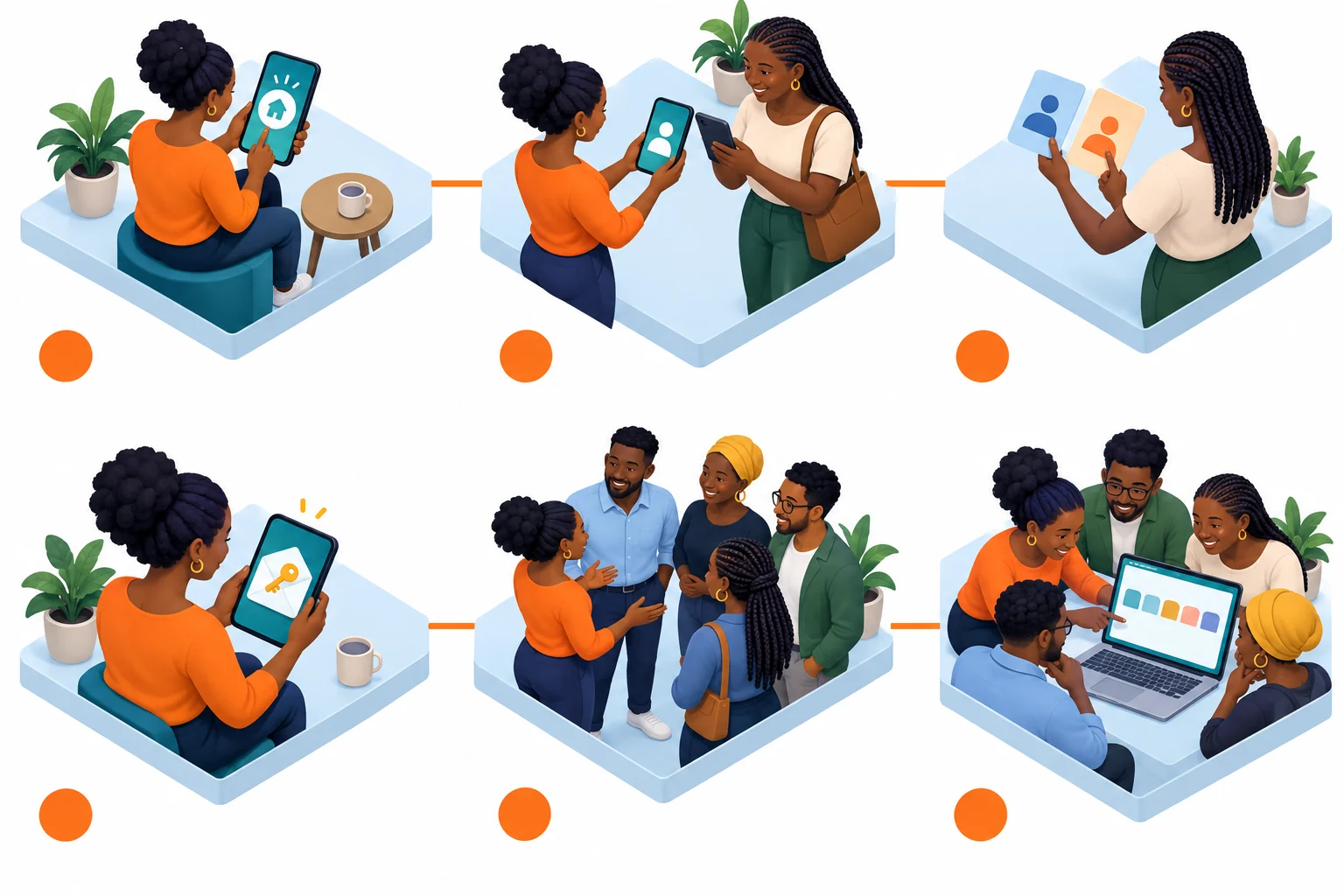
- Create a community
- Invite in person
- Join as you choose
- Keep the community key
- Welcome members
- Open the community
From creating a community to its first members.
- Create a community. In abantu, choose New community and give it a name and a description. Tick An open contribution community only if it's meant for public contributions; otherwise it's a general community.
- Invite in person. Share the community's invitation link privately: show it on your phone, or send it in a private message. The link carries what's needed to join, so anyone who has it can ask to join. Don't post it publicly.
- Join as you choose. The person opening the link chooses which of their identities joins, and can make a new persona just for this community. That choice is fixed for this membership. One person can be a member only once, even with several identities on the same device.
- Keep the community key. Creating the community gives it a key of its own. It's sealed to you as its first custodian. Custodians can sign for the community; the members still decide.
- Welcome members. New members appear under Members once they've joined. In a contribution community, each device does a short calculation before joining, which makes mass sign-ups costly, and only custodians see the member list.
- Open the community. Its home has Proposals, Roles, Protocols, Projects, Members and Messages, plus the community apps it has turned on. In a contribution community, members who aren't custodians see its apps and messages only.