Terminal Commands
Terminal Commands
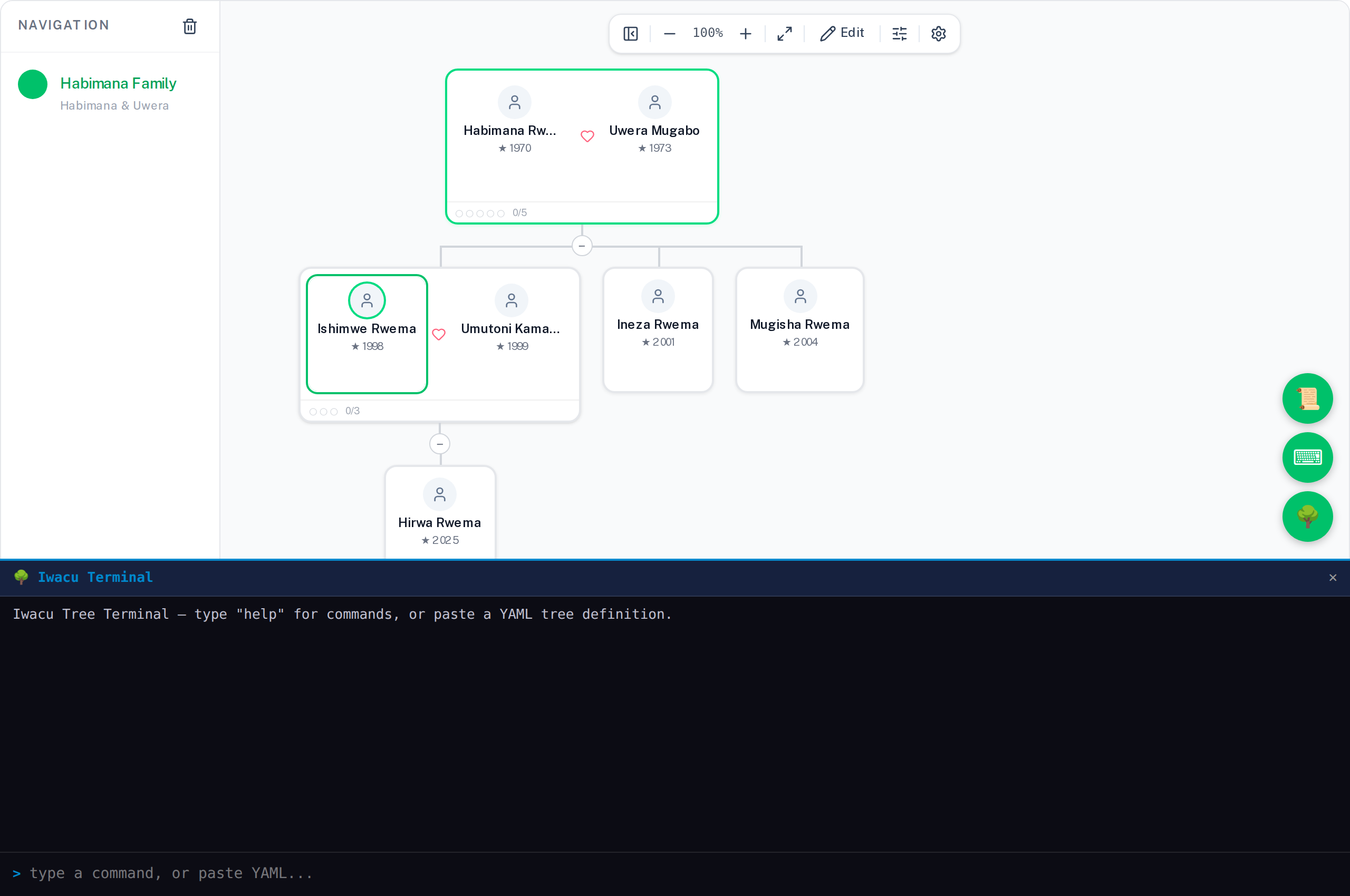
The terminal is the fastest way to build and navigate the tree. Open it with the 🌳 button. Drag the top edge to resize it.
Person commands
person add <alias> --first <name> [--last <name>] [--gender male|female|other] [--born YYYY-MM-DD] [--died YYYY-MM-DD]
Create a new person. The alias is the short name you use in all other commands. --first is required; everything else is optional.
person find <query>
Search people by name. Returns a list of matches with their IDs.
person show <alias>
Print full details for a person — name, dates, which families they belong to — and open their detail panel.
person list
List everyone in the tree with their aliases.
person alias <newAlias> <existingAliasOrName>
Give an existing person an additional alias. The second argument can be a known alias or a partial first-name match.
person edit <alias> [--first <name>] [--last <name>] [--gender ..] [--born ..] [--died ..]
Update any fields on a person. Only the flags you supply are changed.
person delete <alias>
Permanently delete a person. Removes all their family memberships, personal alias, and any family aliases where they held a parent role. The terminal prints a summary before deleting.
me [alias]
Set yourself as the focal person. With no argument, prints your current identity. Your alias appears in group chats and on the connection status map.
Family commands
family couple <familyAlias> <alias1> <alias2> --first1 <name> --gender1 male|female --first2 <name> --gender2 male|female [--last1 ..] [--last2 ..] [--born1 ..] [--died1 ..] [--born2 ..] [--died2 ..] [--name "Family Name"]
Create two people and a family node in one step. This is the fastest way to start a tree or add a new couple.
family new <familyAlias> <parentAlias1> [parentAlias2 ...] [--name "Family Name"]
Create a family node from existing people.
family child <familyAlias> <personAlias> [--first <name> --last .. --gender .. --born ..]
Add a child to a family. If --first is given, a new person is created on the spot; otherwise an existing alias is used.
family marry <newFamilyAlias> <childAlias> <spouseAlias> [--first .. --last .. --gender .. --born ..] [--name "Family Name"]
Create a bridged family: someone already in a family as a child starts their own family. If the spouse does not exist yet, include the person flags to create them inline.
family show <familyAlias|personAlias>
Print full details of a family and open the panel. Accepts a person alias too — shows all families that person belongs to, with a connected/total member count.
family open <familyAlias>
Open the family side panel directly (Members, Chat, Invite tabs).
family list
List all family nodes with their aliases and member counts.
family chat <familyAlias> <message>
Send a message to a family group chat from the terminal.
family invite <familyAlias>
Print the invite link for a family cell.
family join <invite-link>
Join a family cell using an invite link. The family node is added to your tree and its members appear in the chat.
Tree commands
tree demo
Load a sample Rwandan family tree. Clears any existing tree first. Good for exploring before building your real tree.
tree clear
Delete everything and start fresh. Aliases are cleared too.
tree focus <personAlias> [--origin]
Navigate the canvas to a person. With --origin, centres on their parents' family instead.
tree export [--format yaml|json|script]
Export the entire tree. Default format is YAML. Use --format script to export as a sequence of terminal commands that can rebuild the tree from scratch — useful for version control and the Script Editor. Use --format json for machine-readable output.
tree import
Prompts you to paste a YAML or JSON block into the terminal. Multi-line paste is detected automatically — you can also just paste without running the command first.
tree merge
Open the Connect Trees dialog to exchange QR codes with another person and link a shared ancestor. See Inviting and connecting.
tree link
Print the connect-trees link for your focal person — the same link the Connect Trees QR encodes, without opening the dialog. Hand this to whoever runs tree connect.
tree connect <link> <myPersonAlias> [--direction lateral|ancestor|descendant]
Consume a tree link from another tree, bridging it to a person in yours. The scriptable equivalent of the Connect Trees dialog — useful for setting up several trees and connecting them entirely from scripts, with no dialog interaction needed.
Navigation and alias commands
go <alias> [--origin]
Navigate to a person or family by alias or partial first-name match. With --origin, centres on the origin family.
aliases
List all registered person and family aliases with what they point to.
unalias <alias>
Remove a person or family alias. Does not delete the person or family — only the short name.
help
Print a summary of available commands.
Manage page and sync