Abantu — Community Governance
Abantu — Community Governance
Abantu means "people" in Kinyarwanda. The app is a governance tool for groups — neighbourhoods, cooperatives, families, study circles — that need to make decisions together, run shared projects, and agree on the rules they live by.
There is no platform owner. Your community's history is a signed, tamper-evident log stored on each member's device. Members can sync in real time over a relay you control, or work offline and merge when they reconnect.
Abantu is available as an Android app, a desktop app, and a web app — pick whichever fits how you work.
Identity
Before you can join or create a community, the app needs to know who you are.
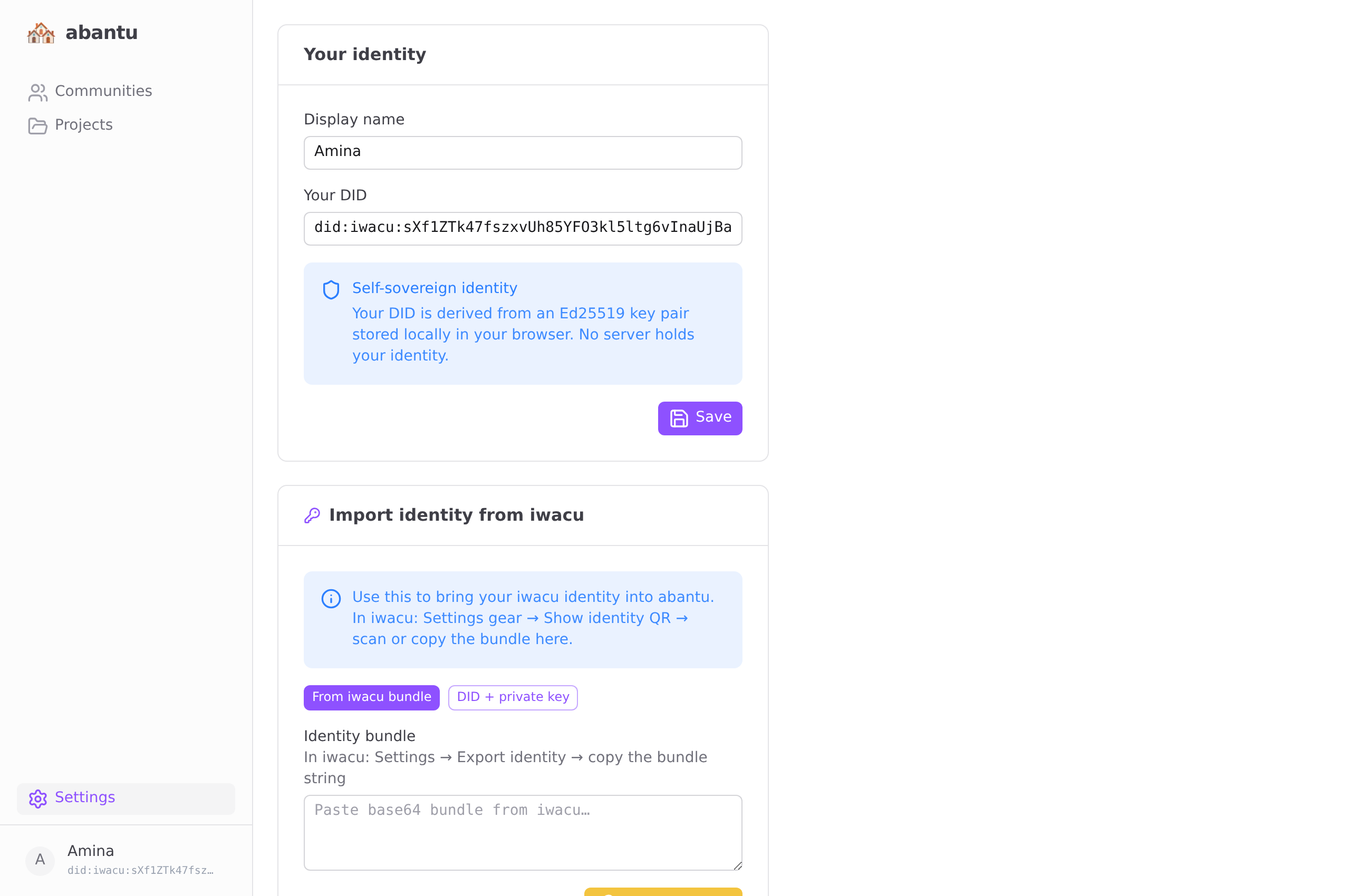
When you open abantu for the first time, you will see three options.
Import from iwacu (recommended)
If you already use iwacu, your identity and display name are already there. This is the fastest path.
- Open iwacu on the same device or nearby.
- Tap the settings icon (⚙) in the toolbar at the top.
- Tap Show identity QR.
- Switch to abantu. It will ask to use the camera.
- Point the camera at the QR code.
Your name and cryptographic keys are imported in one scan. No typing.
Paste identity bundle
Use this if you are on a device where the camera cannot read the QR, or if you want to import your identity manually.
- In iwacu, open Settings → Show identity QR → Copy bundle text.
- In abantu, choose Paste identity bundle and paste the text into the field.
- Tap Import.
Start fresh
If you do not use iwacu, or you want a separate identity for this community tool:
- Choose Start fresh.
- Enter the name others will see.
- Tap Get started.
A new Ed25519 keypair is generated locally. Nothing is uploaded anywhere.
Communities