Protocols
Protocols
A protocol is a written agreement that governs how the community operates. It could be a code of conduct, a decision-making procedure, an incident response playbook, or a reusable template.
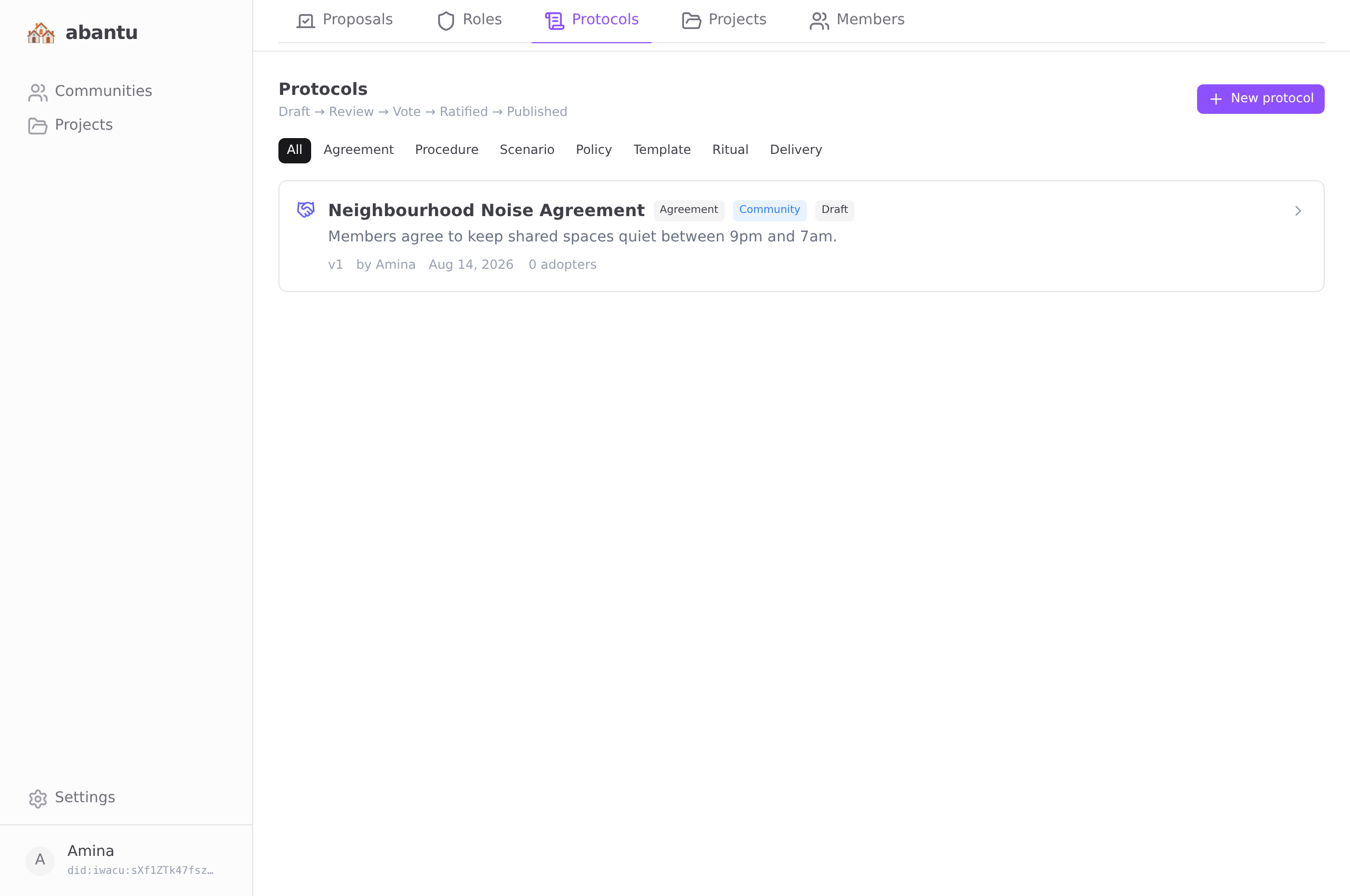
Types and scopes
Types:
Every type is structured, not just prose — the composer shows a dedicated builder for each, and apps can consume the result:
| Type | Structured spec | What apps do with it |
|---|---|---|
| Agreement | Numbered clauses | Members sign the exact clause list (and version) when adopting |
| Procedure | Ordered steps with responsible roles | Trackable step-by-step, like deliveries |
| Scenario | If-then rules: trigger → condition → action | Event-driven playbooks (e.g. delivery disputed → notify Escrow role) |
| Policy | Typed parameters with bounds | Overrides app defaults — e.g. community-set credit earn rates apply in isoko for members who adopt |
| Template | Form-field definitions | Apps render the form (project briefs, reports) |
| Ritual | Procedure steps + recurrence | Scheduled recurring practice (every N days/weeks/months) |
| Delivery | Ordered steps + named intermediaries | Executable trade tracking in isoko |
Scopes:
| Scope | Where it applies |
|---|---|
| Personal | Applies to an individual member |
| Project | Governs a specific project |
| Community | Governs the whole community |
| Global | Published for cross-community adoption |
Building on system protocols
Any protocol can declare that it builds on system protocols (Community Credits, Tracked Delivery, Reputation…) — the composer shows the live catalog from the isoko relay. When a member adopts such a protocol, the required system protocols are adopted automatically in the same step, so the matching app features unlock all at once.
Protocols that execute
Definitions are only half the story — ratified protocols run:
- Agreements are signed, not just adopted. Adopting one signs the exact clause list and version with your key; the relay verifies the signature against your DID before recording it. Scenario rules can require a valid signature before they act.
- Scenarios fire on real events. When a matching event happens in a connected app (a delivery disputed in isoko, a proposal passed), the rules you adopted execute: notify a role holder, run a procedure, record an incident, or open a proposal.
- Procedures become tracked instances. A running procedure binds each role to a real member and advances step by step with signed attestations — every participant sees the same state. Steps that declare a form (template) require it to be filled before the step completes.
- Proposals can be opened by protocols. A scenario's open-proposal action queues a request; your own abantu turns it into a real proposal through the normal signed path — no server ever writes to your community's log.
- Rituals come due. When a ritual's recurrence elapses, the Protocols tab shows a "Ritual due" banner with one-tap Mark done — itself a signed log event, so the community sees who performed it and when.
- Roles route. Assigning a role also registers it with the marketplace relay, so "notify the Mediator" always reaches the current holder — role rotation automatically re-routes future incidents.
Lifecycle
A protocol moves through five states:
Draft → Review → Voting → Ratified → Published
Draft — The author writes the protocol. Others cannot see it yet. The author can edit freely.
Review — The author submits it for community discussion. Members can read the text and leave comments. The author can still amend the text. This stage is for debate and refinement, not voting.
Voting — The author submits again to open a ratification vote. A proposal is created automatically. Members vote Ratify or Reject. The text is frozen.
Ratified — The vote passed. The protocol is now officially adopted. Members can choose to individually adopt it.
Published — The author broadcasts the protocol globally. Other communities can discover and adopt it.
Writing a protocol
- Go to the Protocols tab.
- Tap New protocol.
- Choose the type and scope.
- Write the title and body text.
- Tap Save as draft.
The protocol is now yours to edit. When you are ready for others to read it, submit it for review.
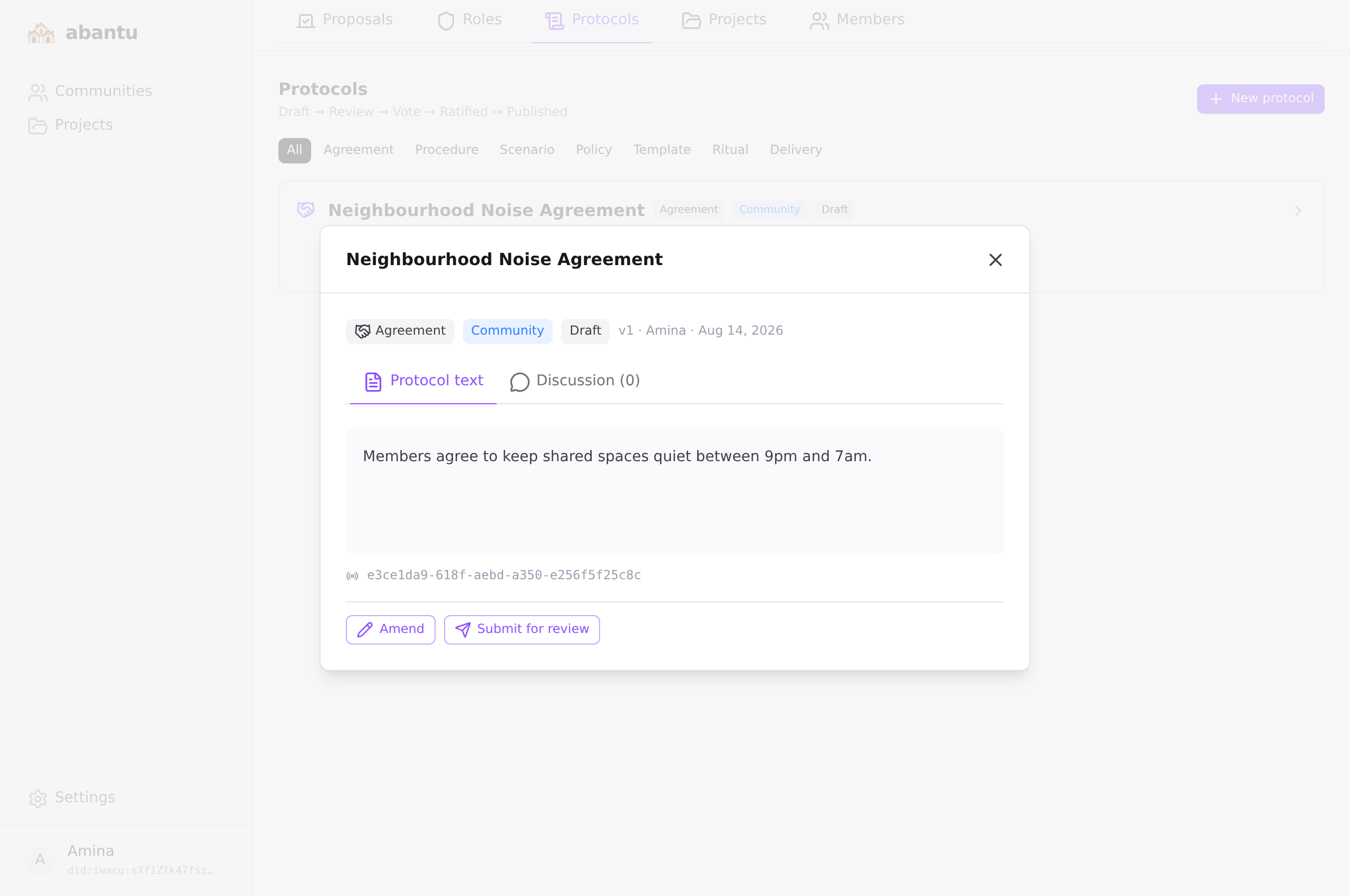
Submitting for review
Open the protocol. Tap Submit for review. The status changes to Review. The community is notified.
Discussion
During review, any member can open the protocol and leave a comment. Comments are threaded — reply directly to a specific comment to keep the discussion organised.
The author reads the comments and decides whether to amend the text. Amendments during review are visible to everyone and increment the version number.
Submitting for a vote
When the discussion is complete and the text is final, tap Submit for vote. This:
- Freezes the text (no further amendments).
- Creates a ratification proposal.
- Opens the Voting period.
Members vote from the Protocols tab or the Proposals tab. The vote closes automatically when quorum is reached.
Ratification and publishing
When the vote passes, the protocol status automatically becomes Ratified. The author can then tap Publish globally to make it discoverable by other communities.
If the vote fails, the protocol returns to Voting status and the author can amend and resubmit.
Publishing also pushes the protocol to the isoko marketplace relay (configurable in Settings). From that moment, isoko users see it in their Settings → Protocols list with a community badge and can adopt it there.
Adopting a protocol
Some protocols are personal commitments — a code of conduct, a privacy agreement. Any member can open a ratified or published protocol and tap Adopt. This records your adoption in the event log. It is visible to all members.
Adoption is also synced to your identity on the isoko relay. If you sign in to isoko with the same DID, the features associated with the protocol unlock there automatically — no extra steps in isoko.
Adoption is also required to join certain projects. See Projects.
Delivery protocols
A delivery protocol turns a community agreement into something a marketplace can execute. Instead of prose alone, it carries a structured plan:
- Steps, in order — each with a title, a responsible actor (buyer, seller, or a named intermediary), an optional deadline in hours, an optional location, required evidence (payment proof, photo, signature, location check-in), and reputation points awarded on completion.
- Intermediaries — trusted third parties identified by their DID and a role name, such as Escrow Agent or Courier.
When creating or amending a delivery protocol, the step builder appears below the text editor. Add steps, assign actors, set evidence requirements.
Delivery protocols go through the same lifecycle as any other: review, debate, ratification vote, publish.
Using a delivery protocol in isoko
Once published, open the protocol and copy its isoko link — a string starting with isoko-proto:. Any seller in the community pastes this link when creating a listing in isoko. Every trade on that listing then follows the community's procedure: same steps, same evidence, same intermediaries, tracked step-by-step in isoko's Deliveries tab.
Projects