Proposals and Roles
Proposals and Roles
Proposals
Proposals are the formal decision mechanism. Any member can create a standalone proposal. Ratification proposals are created automatically when a protocol is submitted for a vote.
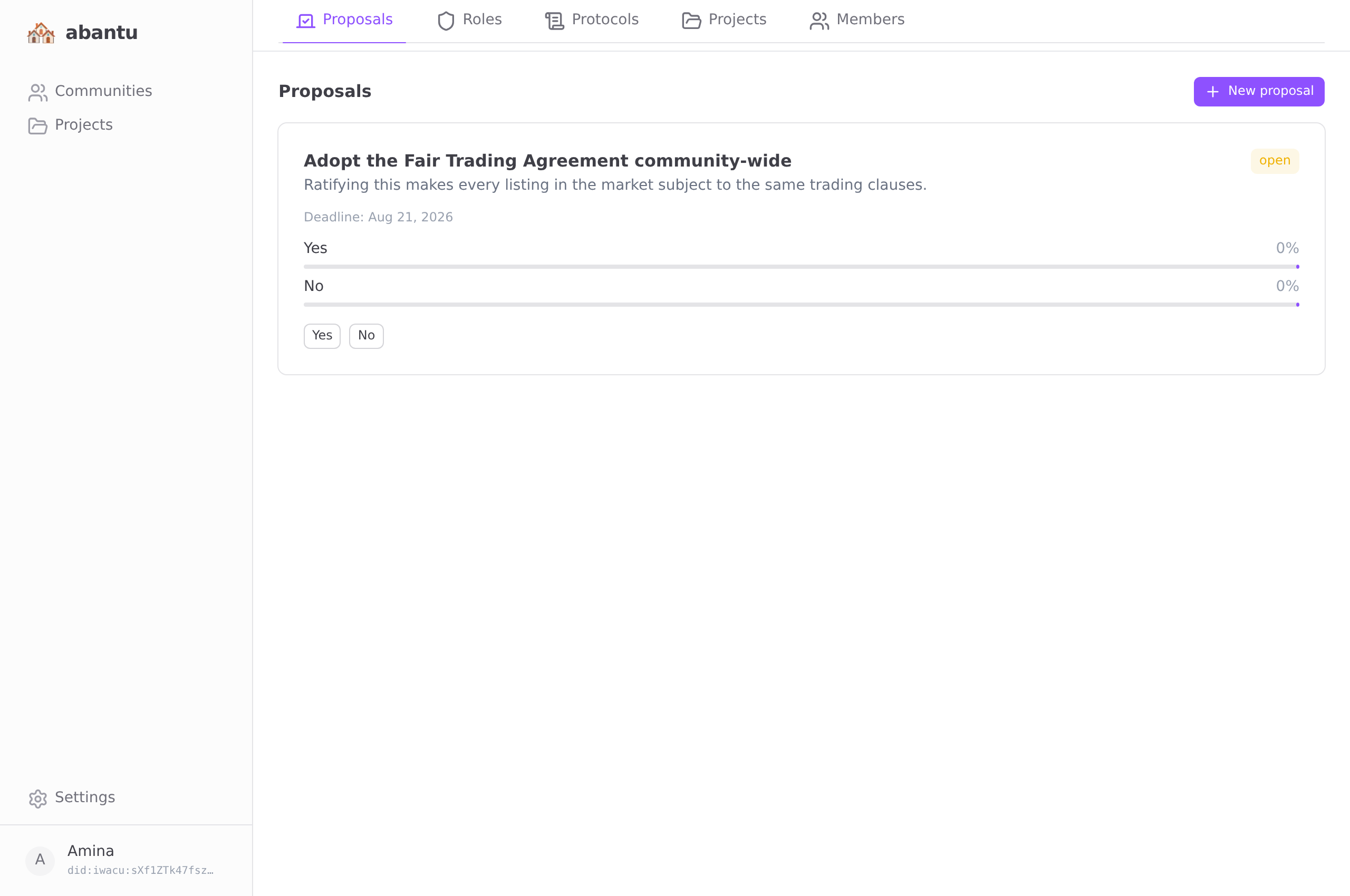
Creating a proposal
Go to the Proposals tab and tap New proposal.
| Field | Notes |
|---|---|
| Title | Short and specific |
| Description | Provide enough context for members to vote with understanding |
| Options | At least two. Default is Yes / No. |
| Deadline | How many days the vote stays open |
Voting
Open a proposal and tap the option you choose. Your vote is recorded. You can change your vote before the proposal closes.
Proposals close automatically when enough votes have been cast to reach quorum. The winning option is declared. The result is permanent in the event log.
Governance roles
Roles are named positions in the community — moderator, treasurer, secretary, or whatever your community needs. They are recorded in the event log and visible to all members.
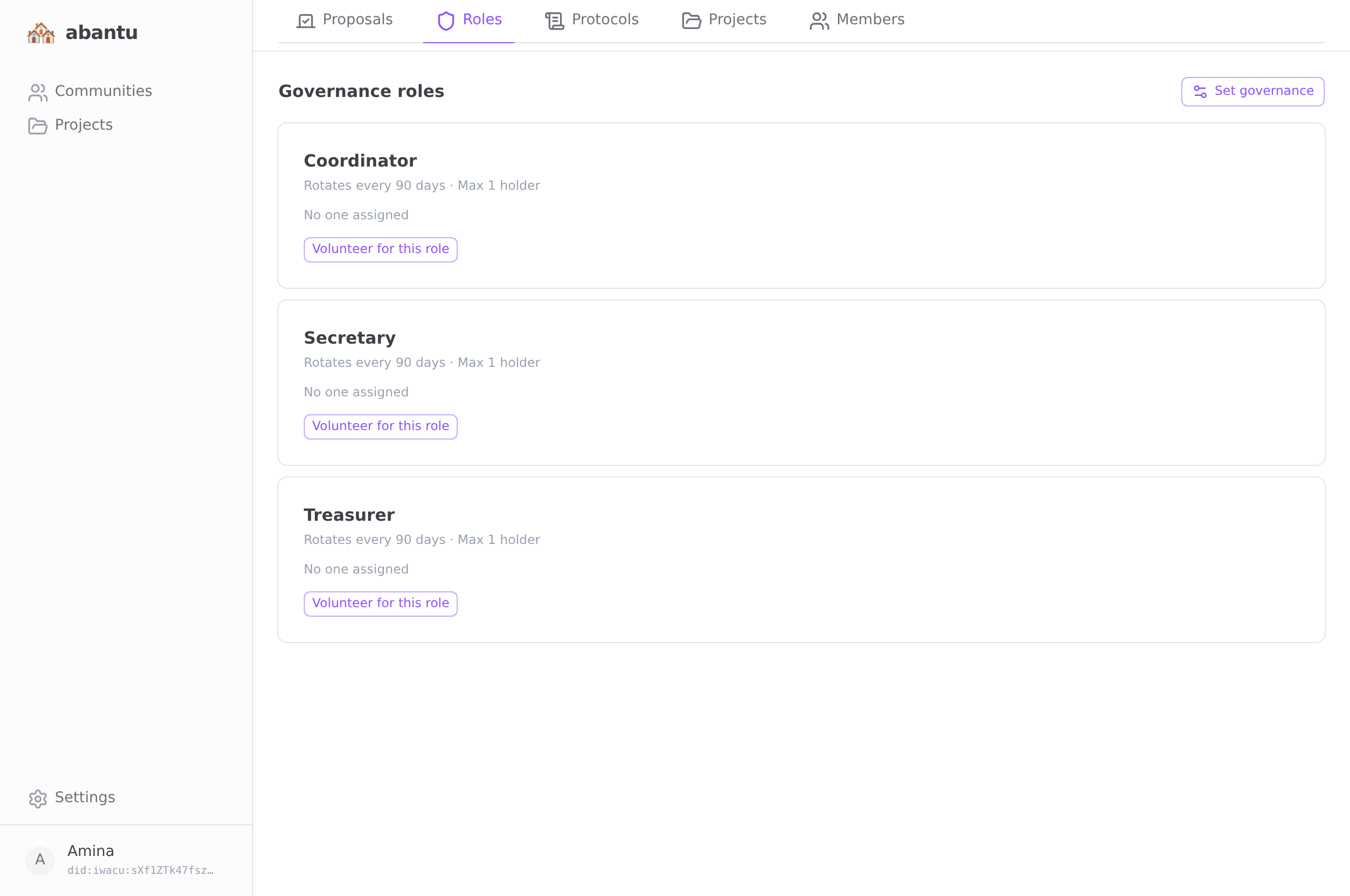
To assign a role:
- Go to the Roles tab.
- Tap Assign role.
- Enter the role name, select the member, and optionally set an expiry.
To remove a role, tap Vacate next to it.
Roles are currently informational — the app does not enforce permissions based on them. They serve as a visible record of who holds which responsibility. Scenario protocols do route around them, though — see Protocols: "notify the Mediator" always reaches whoever currently holds that role.
Sync and relay