Tracked Deliveries
Tracked Deliveries
When a listing carries a delivery protocol and you tap 📦 Accept & Connect, isoko starts a tracked delivery. Both sides — and any named intermediaries — get the same live view of where the trade stands.
How a delivery runs
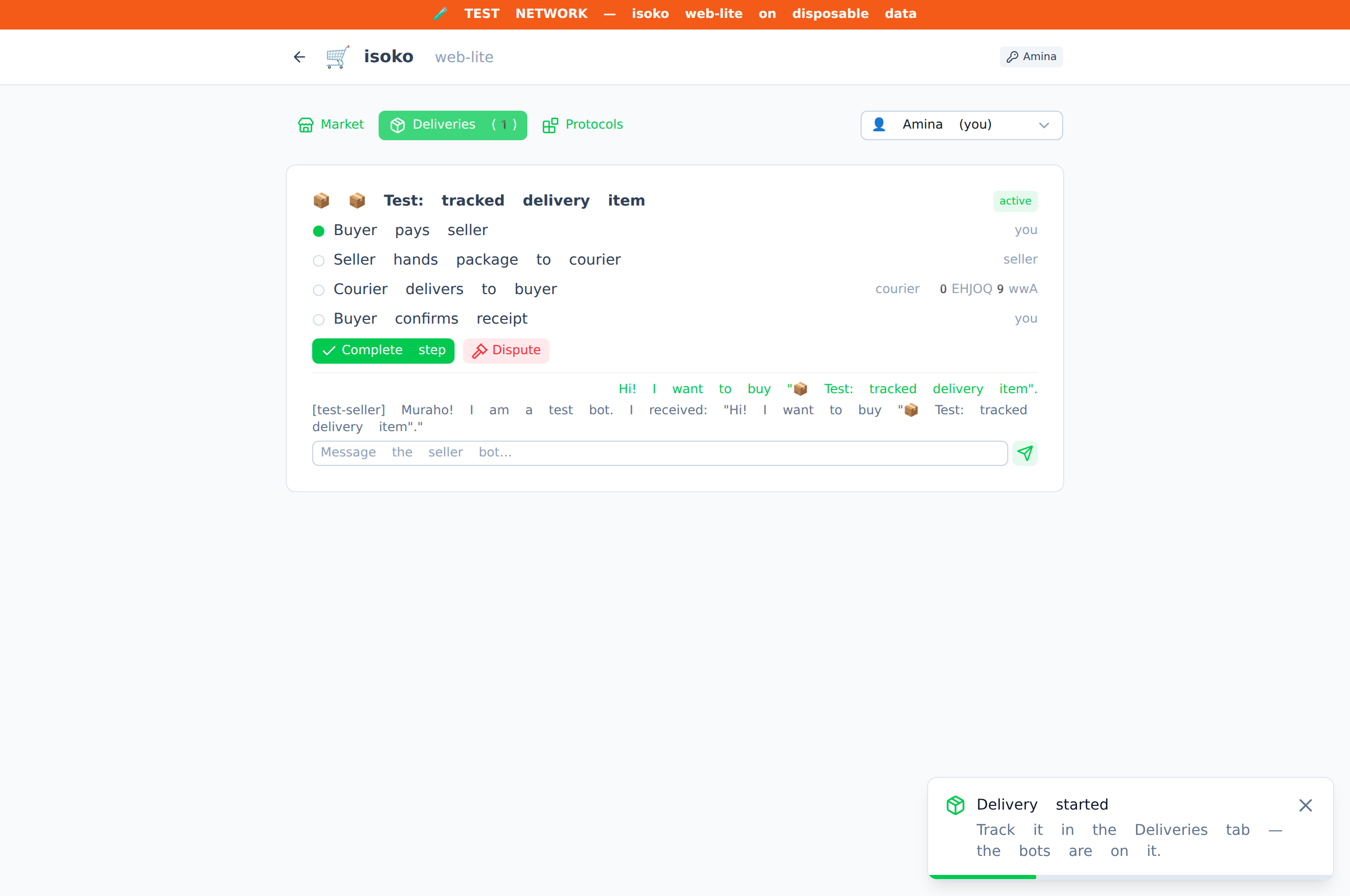
The Deliveries tab lists your active deliveries. Each one shows the step plan from the protocol:
- Each step names an actor — buyer, seller, or a specific intermediary — and may carry a deadline, a location, and evidence requirements.
- When it is your turn, the current step shows an attest button. Complete the real-world action, attach the required evidence (payment proof, photo, signature, location check-in), and confirm.
- Your attestation is signed with your key and sent to every other party. Their view advances automatically.
- When the last step completes, the delivery is marked completed.
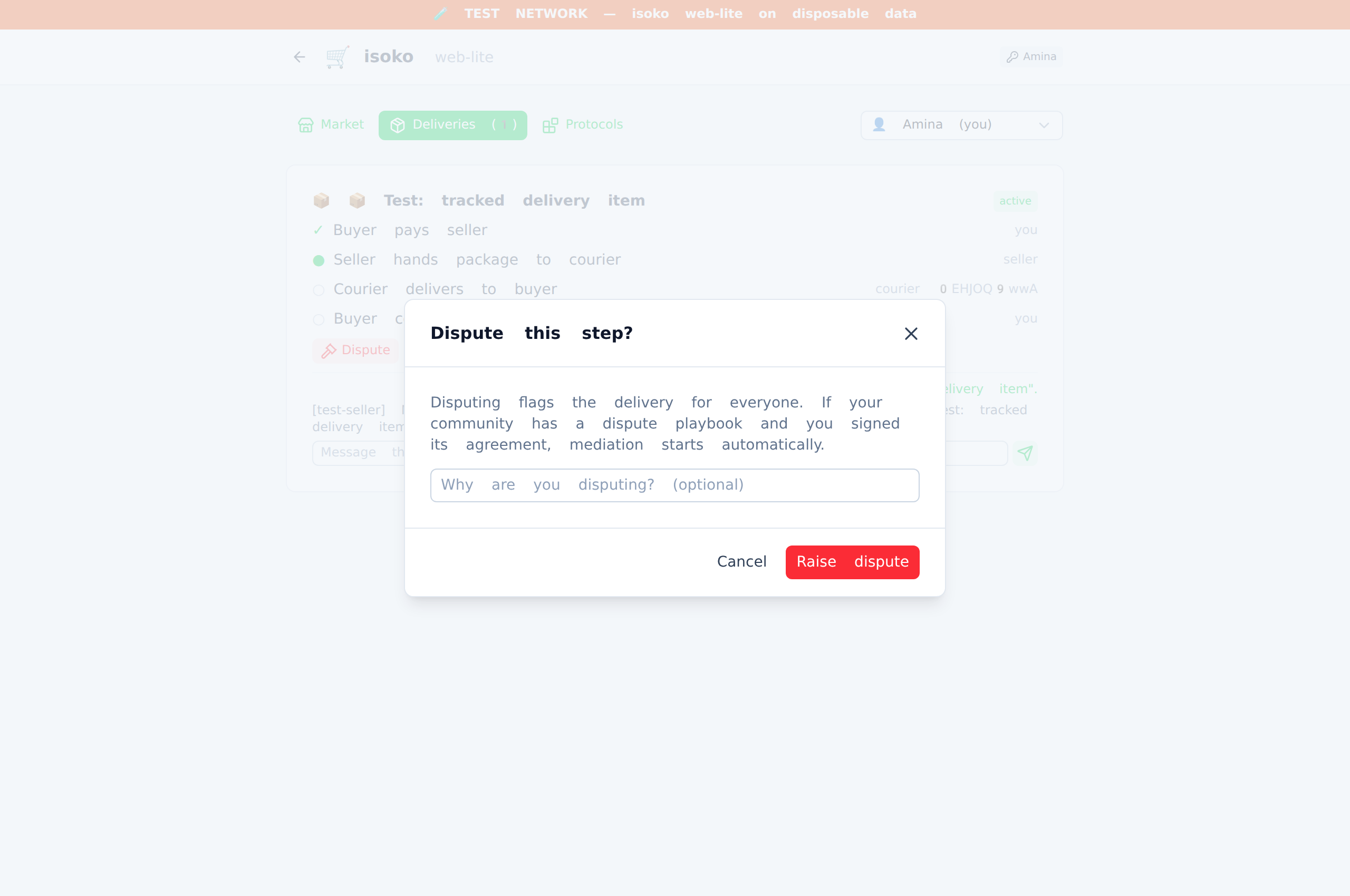
If something goes wrong, any party can dispute the current step instead of attesting it. The delivery is flagged and both sides can see who disputed and when.
Intermediaries
A delivery protocol can name trusted third parties — an escrow agent, a courier, an inspector. Intermediaries do not need a chat connection with either side: when the delivery starts, they receive the full delivery plan directly through the relay, addressed to their identity. They see the same step view, attest the steps assigned to them, and their attestations reach buyer and seller the same way.
Disputes run community playbooks
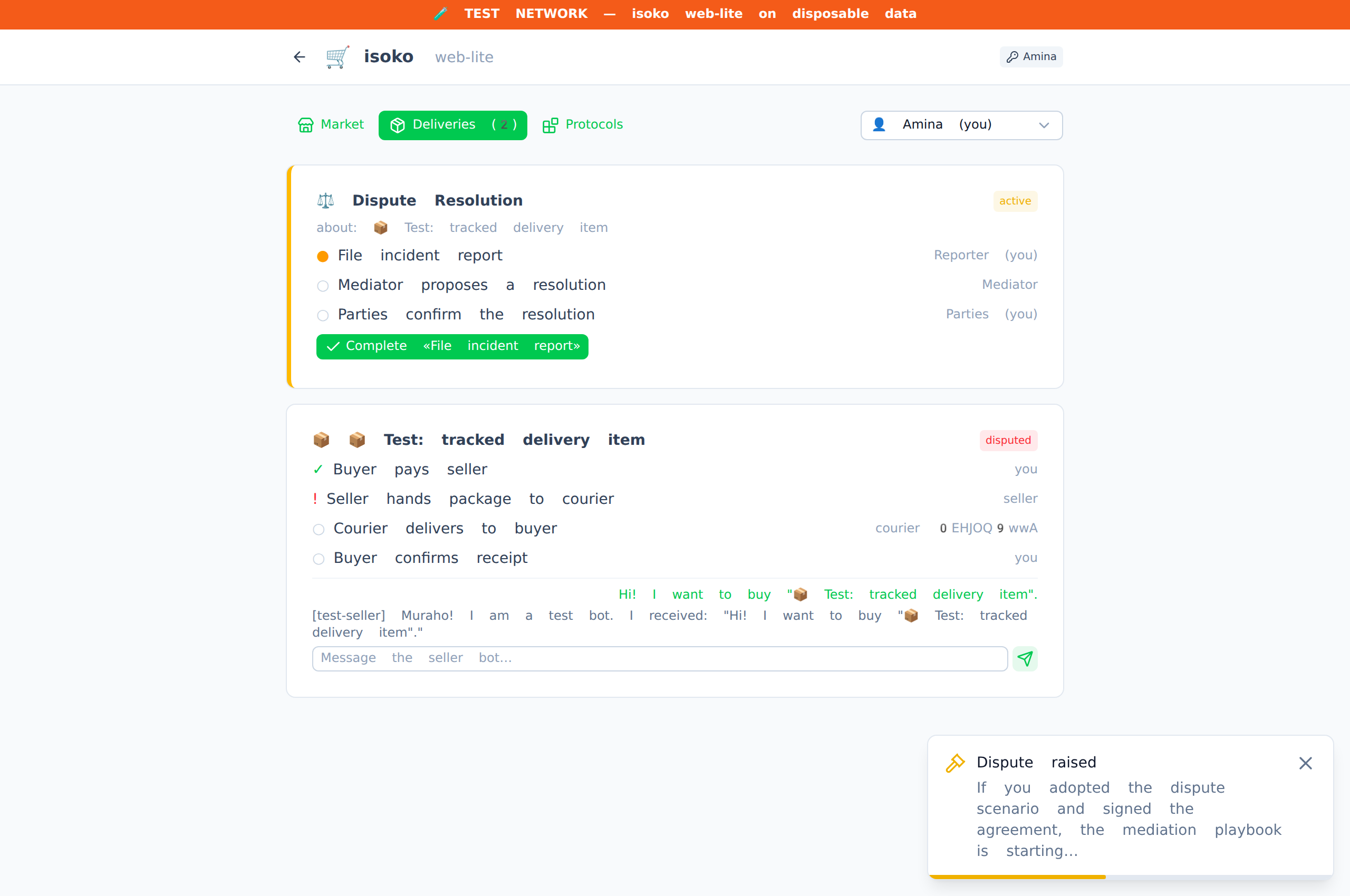
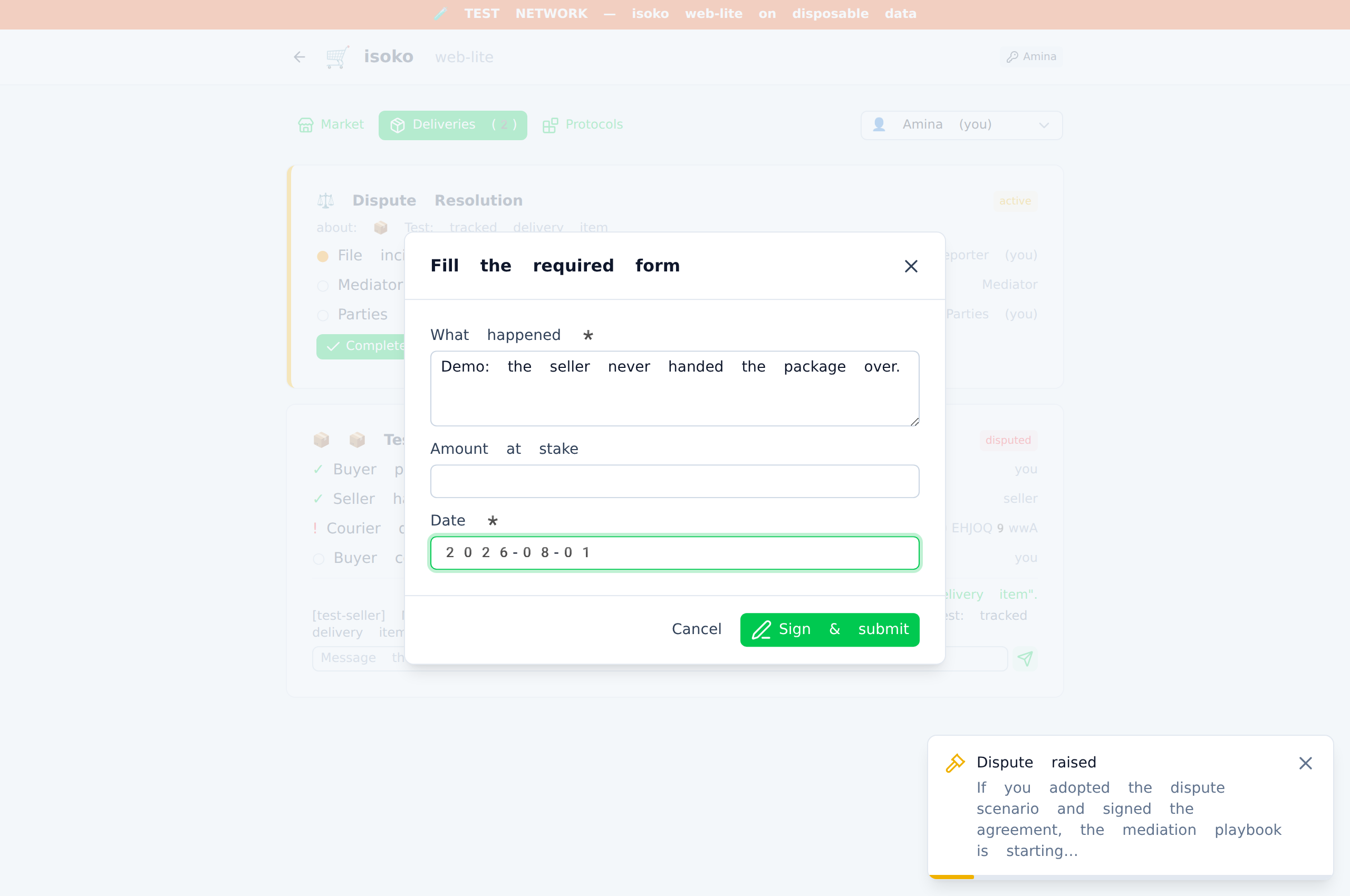
Disputing a step does more than flag the delivery. If your community has ratified a dispute scenario (built in abantu) and you have adopted it, the dispute executes the playbook: the community's mediator is notified, and a procedure instance — e.g. a three-step mediation — appears in your Deliveries tab. You file the incident report as a structured form (defined by the community's template), the mediator attests their step, and both sides confirm the resolution. Every step is signed and every participant sees the same state.
Signing agreements
Some community protocols are agreements — commitments with numbered clauses. Adopting one in Settings shows you the exact clauses and asks you to sign them with your identity key. The relay verifies the signature against your DID before recording it, and community playbooks can require a valid signature before they act on your behalf (for example, only signed members get mediation).
What deliveries earn
Completing a step awards the actor reputation points (if Reputation is adopted) and Community Credits (if Community Credits is adopted). Attesting a step for a peer as an intermediary earns credits too. Honest participation is what builds your standing — there is no way to buy it.
Wallet and reputation